


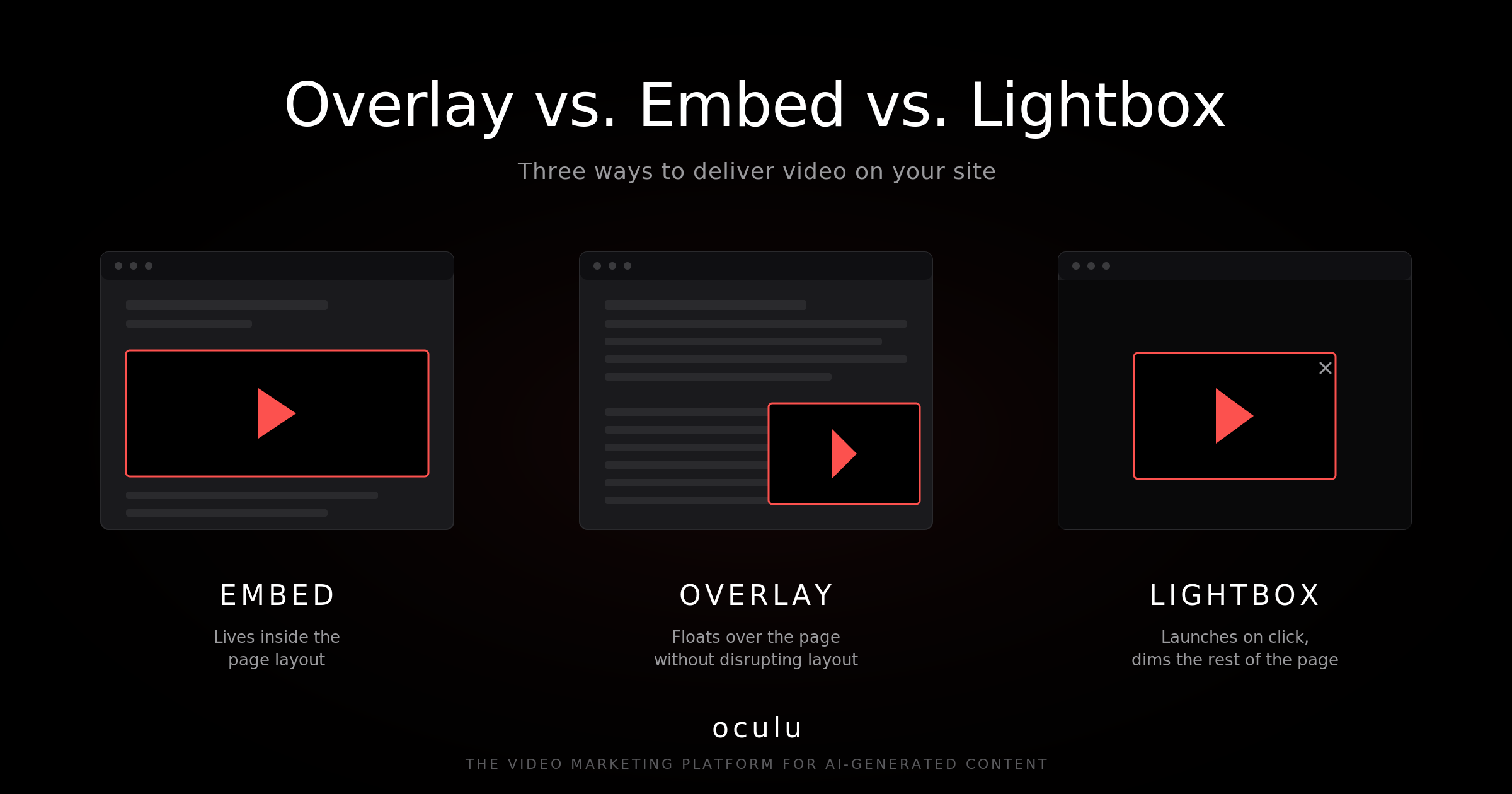
What Online Video Player Format Is Best for Your Site? (Overlay vs. Embed vs. Lightbox)
The best video player format for your site depends on whether you want the video to sit inside the page layout (embed), float above it without disrupting design (overlay), or expand on click against a dimmed background (lightbox).
Oculu generates the script for all three formats from a single video upload, so the decision is purely about user experience — not production cost.
Quick Comparison
| Format | Best For | Affects Page Layout? | Trigger | Watch-Out |
|---|---|---|---|---|
| Overlay | Talking-head videos, sites where layout is locked | No | Auto or click | Plays over content — design must accommodate it |
| Embed | Landing pages built around the video, blog posts | Yes (takes a fixed space) | Always visible | Hard to retrofit into existing tight layouts |
| Lightbox | Image- or button-triggered videos, hero sections | No | User click | Disables clicks elsewhere on the page while playing |
Overlay Format
The overlay is unique to Oculu. The video sits on top of the page rather than inside it, so the underlying design is untouched.
- Doesn’t shift or reflow page content
- Can be placed in multiple areas of a single page
- Ideal for talking-head videos, AI digital spokespersons, and landing pages with locked design
- Works well when you can’t (or don’t want to) rebuild the page around the video
Embed Format
The embed is the most familiar format on the web — the video lives inside a defined slot on the page.
- Standard size is 640×360, with the ratio adjustable to fit your layout
- The viewing experience feels native to the page
- Great for landing pages, blog posts, and product pages built around the video
- The trade-off: existing pages may need redesign work to accommodate the embed cleanly
Lightbox Format
The lightbox launches from a click — usually a button, image, or text link — and expands over a dimmed page background.
- Background color and transparency are configurable to match brand
- Keeps the host page clean until a user opts in to watch
- Ideal for hero sections, product images, or thumbnails that should expand on click
- Important caveat: while the lightbox is open, viewers cannot click anywhere else on the page. That can suppress conversions if the same page has a lead form or another CTA you want them to take.
How to Choose
Decide format before producing the video when possible. If that’s not an option, work backward from the user behavior you want:
- Want the video to autoplay without redesigning the page? Overlay
- Building the page around the video as the main asset? Embed
- Letting users opt in from a button or image? Lightbox
- Need viewers to also fill out a form on the same page? Embed or overlay (avoid lightbox)
Where Oculu Fits
Oculu provides all three formats from a single video upload — no re-encoding, no separate uploads per format. Inside the dashboard you choose your preferred format and copy the embed code, which works on any CMS or site builder.
That same flexibility applies to AI-generated content: an AI digital spokesperson video can be deployed as an overlay, embed, or lightbox without re-rendering.
Key Takeaway
Overlay, embed, and lightbox each solve a different problem. Overlay protects your existing layout, embed builds the page around the video, and lightbox keeps the page clean until a viewer opts in. Choose by user behavior, not by what looks impressive.
Frequently Asked Questions
An overlay video plays on top of a page without dimming or blocking the rest of the content — viewers can still interact with the page around it. A lightbox dims the page and locks interaction until the video closes. Use overlay when you want simultaneous engagement; use lightbox when the video should command full attention.
The standard embed size is 640×360 pixels (16:9 ratio). Most modern hosting platforms, including Oculu, let you adjust the ratio and dimensions to fit your specific layout while preserving aspect ratio for clean playback.
Embed or overlay. Both keep the rest of the page (including the form) interactive while the video plays. Lightbox is generally a poor fit for lead-capture pages because it disables clicks on the surrounding page until the viewer closes the video.