
STUDIO DIGITAL SPOKESPERSON
🎥 Turn Yourself or a Member of Your Team Into an AI Digital Spokesperson
Oculu helps businesses create custom AI Digital Spokespersons that can produce professional video content without requiring a new video shoot every time.
Your spokesperson is created from a professional recording of you, an executive, employee, subject-matter expert, or other authorized representative. Once created, your Digital Spokesperson can be used to produce ongoing AI videos from new scripts.
No repeated filming. No traditional video production for every message.
Simply provide the content, and Oculu can turn it into a fully produced AI video.
One Studio Shoot → Your Digital Spokesperson → Ongoing AI Video
What's Included With the Studio Digital Spokesperson Package
-
- Professional Studio Shoot We professionally capture the video, voice, appearance, and performance needed to create your Digital Spokesperson.
- Your Custom AI Digital Spokesperson Oculu creates a life-like Digital Spokesperson based on you or an authorized member of your organization.
- 10 Fully Produced AI Videos We’ll create your first 10 videos using your new Digital Spokesperson.
- Oculu AI Video Platform Your completed videos are delivered directly into your Oculu account for hosting, management, distribution, analytics, and AI search optimization.
- Ongoing AI Video Creation Once your Digital Spokesperson has been created, new videos can be produced from scripts without returning to the studio for every video.
What's Included With the Studio Digital Spokesperson Package
Step 1 — Studio Shoot
Your spokesperson participates in a professional recording session.
During the session, we capture the person’s appearance, voice, facial expressions, body movement, and speaking style.
Step 2 — Digital Spokesperson Creation
The approved footage is processed using Oculu’s AI video production workflow to create your custom Digital Spokesperson.
Step 3 — Send Us Your Script
Once your Digital Spokesperson is ready, provide the message you want to communicate.
Your team can provide a completed script or work with Oculu to develop the content.
Step 4 — Oculu Produces Your AI Video
Oculu uses your Digital Spokesperson, script, voice, and supporting creative elements to produce the finished video.
Step 5 — Your Video Is Delivered to Oculu
The completed video appears in your Oculu account, ready to:
- Host
- Embed
- Publish
- Distribute
- Share
- Analyze
- Optimize for search and AI discovery
Studio Shoot → Digital Spokesperson → Script → AI Video → Oculu Platform
Studio Recording Requirements
The quality of your Digital Spokesperson begins with the quality of the original recording.
Oculu uses a professional studio workflow designed to capture the visual and audio information required to create a realistic Digital Spokesperson.
If your footage is being recorded outside an Oculu-managed studio session, follow the requirements below.
1. Video Background
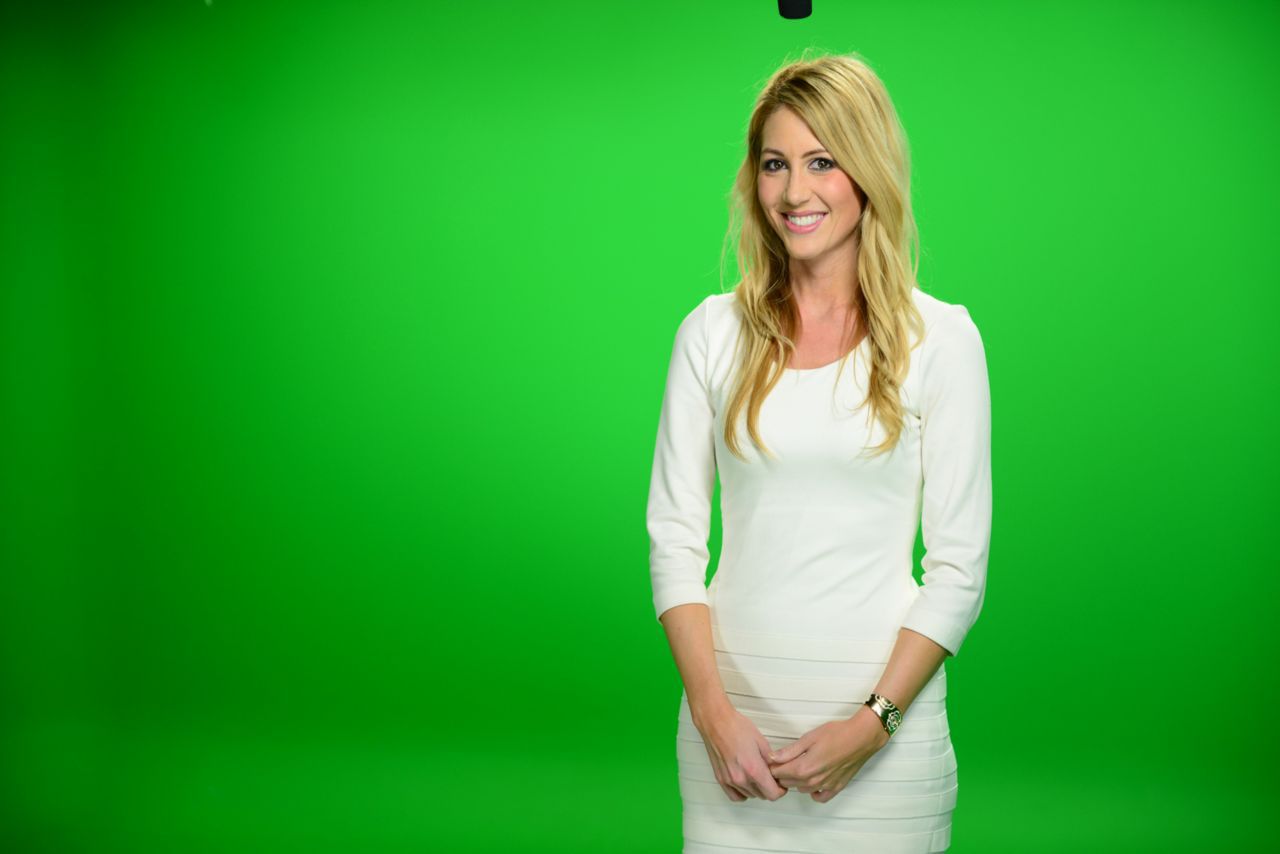
- Keep the green screen evenly illuminated.
- Avoid shadows on the background.
- Do not wear green clothing.
- Make sure the performer is clearly separated from the background.
- Do not remove the background before delivering the footage.
2. Camera
High-quality source footage is critical.
Recommended specifications:
- UHD 3840 × 2160 resolution
- 29.97 or 30 fps
- Dedicated professional video camera
- Camera positioned approximately at eye level
- Sharp focus on the performer’s face
Do not use webcams, streaming software, or applications that capture the recording over an internet connection.
HD 1920 × 1080 footage may be acceptable, but framing flexibility will be more limited.
3. Framing
Frame the performer approximately waist-up or upper-body.
Keep the camera position and distance consistent throughout the recording.
Recording in UHD provides additional flexibility for adjusting the final framing.
4. Lighting
Consistent lighting is essential.
A three-point lighting setup is preferred:
- Key light
- Fill light
- Backlight
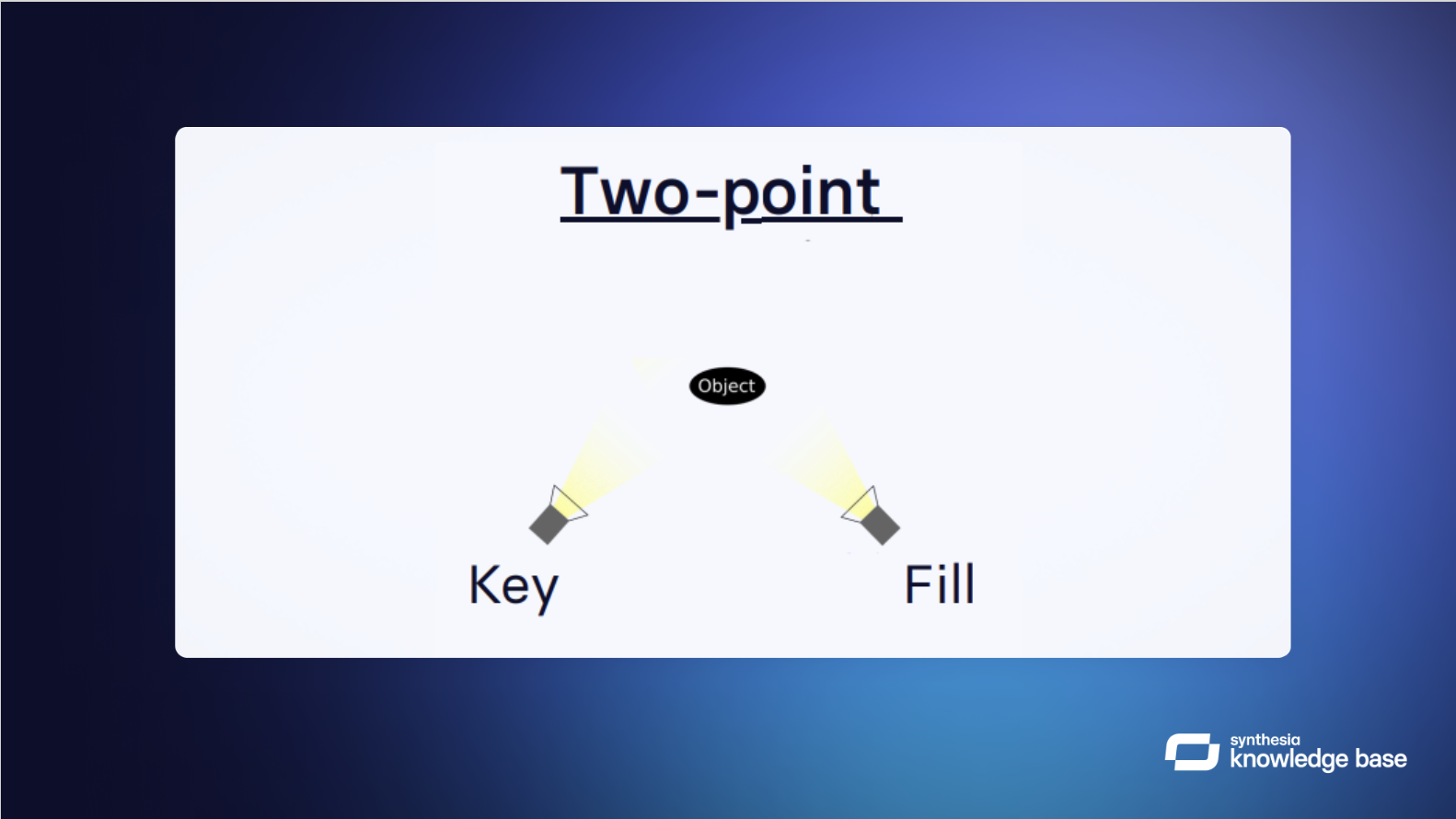
A properly configured two-point setup may also be used.
The performer’s face should be evenly illuminated without strong shadows, dramatic lighting changes, or inconsistent exposure.
Two-point lighting setup:
5. Audio
Clean audio is extremely important because the recording may also be used as part of the voice and synchronization process.
For best results:
- Audio must remain synchronized with the video.
- Avoid background noise.
- Avoid room echo.
- Only the performer should speak.
- Lavalier or boom microphones are preferred.
- Keep microphones concealed when possible.
- Record three clean, complete takes.
6. Color and Exposure
The recording should represent how you want your Digital Spokesperson to appear.
- Maintain proper exposure.
- Use natural skin tones.
- Set proper white balance.
- Avoid dark or underexposed footage.
- Do not submit unfinished raw footage requiring major color correction.
7. Wardrobe and Appearance
Dress the way you want your Digital Spokesperson to appear in future videos.
For best results:
- Do not wear green.
- Avoid highly reflective materials.
- Avoid clothing that blends into the background.
- Keep makeup natural.
- Keep hair away from the face.
- Avoid sunglasses.
- Avoid hats that obscure the forehead or eyes.
- Minimize distracting accessories.
The performer’s face and eyes should remain clearly visible throughout the recording.
If in doubt, follow the rule that the face should be clearly visible to the camera at all times.
8. Glasses
Glasses can be used, but reflections and frames can sometimes interfere with facial detail.
For best results:
- Minimize reflections.
- Avoid frames that obscure the eyes.
- Avoid extreme head rotations.
- Consider recording footage both with and without glasses.
9. Performance
Your Digital Spokesperson will reflect characteristics of the original performance.
The performer should:
- Look naturally toward the camera.
- Use normal head movement.
- Maintain a consistent distance from the camera.
- Avoid rocking forward and backward.
- Use controlled, natural hand gestures.
- Maintain an appropriate resting position.
- Speak naturally and confidently.
A teleprompter positioned close to the camera lens is recommended.
Expression and Emotion
The performer should demonstrate natural variations in expression and delivery.
This may include:
- Professional
- Friendly
- Happy
- Excited
- Serious
- Concerned
- Persuasive
- Motivational
A stronger original performance gives the Digital Spokesperson greater flexibility for future video content.
Performance Requirements
What do I do with my hands?
10. Script and Takes
The performer should read the complete performance script during each take.
We recommend:
- Three complete takes
- No jump cuts
- No editing within individual takes
- Consistent performance direction
- Teleprompter positioned close to the camera
If the performer makes a minor mistake, continue naturally rather than stopping the recording.
11. Consent
Every person used to create an Oculu Digital Spokesperson must provide appropriate consent authorizing the creation and use of their AI likeness and voice.
The performer must be at least 18 years old.
Oculu will provide the required consent process as part of the Studio Digital Spokesperson workflow.
12. Footage Goals From The Shoot
This is what we work to capture from the studio shoot
- Three complete performance takes
- Required consent recording/documentation
- H.264 video
- MP4 format
- UHD 3840 × 2160 preferred
- 29.97 or 30 fps preferred
- Clean synchronized audio
- No jump cuts or edits within the performance takes
Your Digital Spokesperson Is Only the Beginning
Most AI video generators focus primarily on creating a video.
Oculu is designed around what businesses need after the video is created.
Your AI videos become part of the Oculu AI Video Platform, where they can be hosted, organized, embedded, distributed, analyzed, and optimized for traditional and AI-driven search.
This allows businesses to build an ongoing AI video strategy rather than simply generate individual videos.
Frequently Asked Questions
An AI Digital Spokesperson is a digital representation of a real person that can be used to create new video presentations from scripts without requiring the person to film every new video.
Oculu professionally captures the person’s appearance, voice, expressions, and performance. That source material is then processed through our AI video production workflow to create a reusable Digital Spokesperson.
No. That’s one of the primary benefits. Once your Digital Spokesperson has been created, Oculu can produce new videos from new scripts without requiring another traditional video shoot.
Oculu’s Spokesperson Library provides pre-built AI presenters that businesses can use for video creation.
The Studio Digital Spokesperson package creates a custom spokesperson based on you or another authorized member of your organization.
Oculu provides a managed AI video solution for businesses.
Rather than requiring your team to learn and operate multiple AI video tools, Oculu can manage the AI video production process and deliver finished videos directly into your Oculu account.
Finished videos are delivered directly into your Oculu account, where they can be hosted, managed, embedded, distributed, analyzed, and optimized.
Yes. Digital Spokesperson videos can be created for social media, websites, marketing campaigns, sales communications, training, and other business applications.
Yes. The Oculu platform supports captions, transcripts, metadata, and GEO/AI-search workflows designed to help make video content more understandable and discoverable by traditional search engines and AI platforms.